How to Download Videos From Any URL (YouTube, TikTok & More)
— Brendan Gray, Founder & Developer
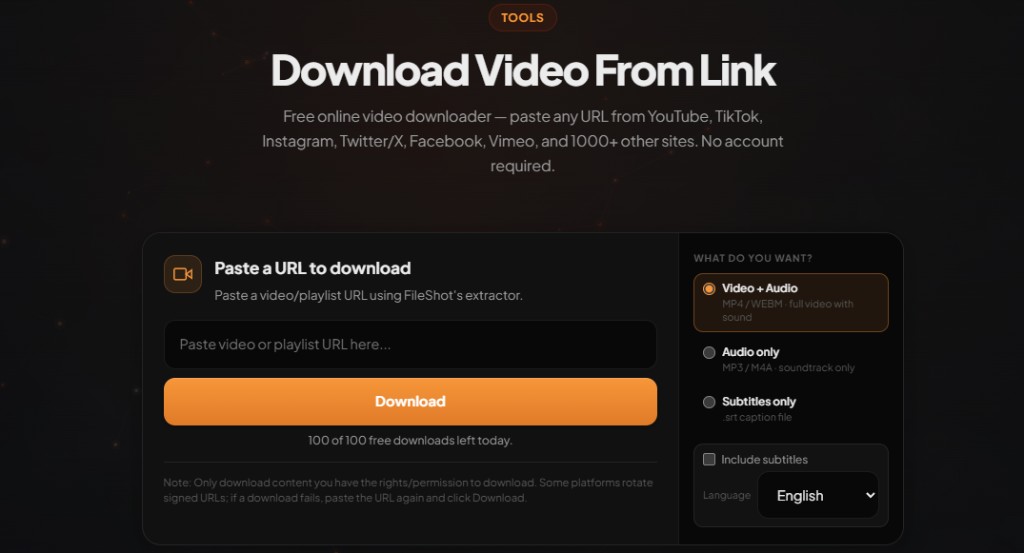
Different platforms use different players, but you do not need a separate app for each one. Learn how to download videos from any URL using a single online extractor that detects the host automatically.
Download video from link free — paste any URL
Open Video Downloader →MP4, WEBM, and audio-only. No account required on free tier.
One tool, many platforms
Instead of hunting for a TikTok-only or YouTube-only ripper, use a unified engine. FileShot's Video Downloader recognizes the domain, queries available streams, and shows the same quality picker regardless of source.
Step-by-step: download video from link
- Open fileshot.io/tools/video-downloader.
- Copy the video page URL from your browser address bar (not a share-menu redirect if you can avoid it).
- Paste the link into the URL field and click Download.
- Wait for analysis — FileShot lists every stream the host exposes (resolution and format).
- Pick MP4, WEBM, or audio-only and save the file directly to your device.
Pro and Creator subscribers can paste multiple URLs in the batch panel for playlist-style workflows.
Platform-specific tips
YouTube
Use the full youtube.com/watch?v= URL. For Shorts, paste the shorts link. See YouTube to MP4 for format details.
TikTok
Copy the share link or browser URL. Vertical MP4 is typical. Details: TikTok downloader.
Feed videos and Reels need the post URL, not just a profile page. Try Instagram video downloader or Reels downloader.
Twitter / X, Facebook, Reddit
Paste the status or post URL. Reddit v.redd.it links merge audio automatically when both tracks exist.
After you download
Need a smaller file? Run the clip through File Compressor. Need a different format? Use File Converter. Sharing? Upload to FileShot with optional password and expiry.
Legal and personal use
Only download videos you own, content released under open licenses, or material where you have explicit permission from the creator. Platform terms of service vary by country. FileShot provides this tool for legitimate personal use — not for redistributing copyrighted work without rights.
Related: Download video from link free · Online video downloader guide
Frequently asked questions
Can one URL downloader handle every website?
No tool covers 100% of the web. FileShot supports 1000+ major video hosts via yt-dlp-based extraction. Obscure or heavily DRM-protected sites may not work.
How do I download videos on iPhone?
Open the downloader in Safari, paste the URL, analyze, then tap download and save to Files. iOS may prompt where to store the MP4.
How do I download videos on Android?
Use Chrome, paste the link at fileshot.io/tools/video-downloader, and save to Downloads or Google Files.
Can I download a whole playlist?
Paste a playlist URL in the main field — FileShot can detect entries up to your tier limit. Pro and Creator batch panels accept multiple URLs at once.
What if only audio matters?
After analysis, select an audio-only option when listed. Useful for music, podcasts, and lectures.
Free Online Video Downloader
Paste any URL. MP4, WEBM, audio-only. No watermark.
Open Video Downloader →