FileShot on Every Platform
Native desktop clients for Windows, macOS, and Linux. System tray integration, drag-and-drop uploads, and the same zero-knowledge encryption — no browser required. Open source on GitHub.
Download Tauri 2
Latest builds from GitHub Releases . Choose your platform below.
Android & Mobile
Web App & Android
Works on Android, iOS & desktop

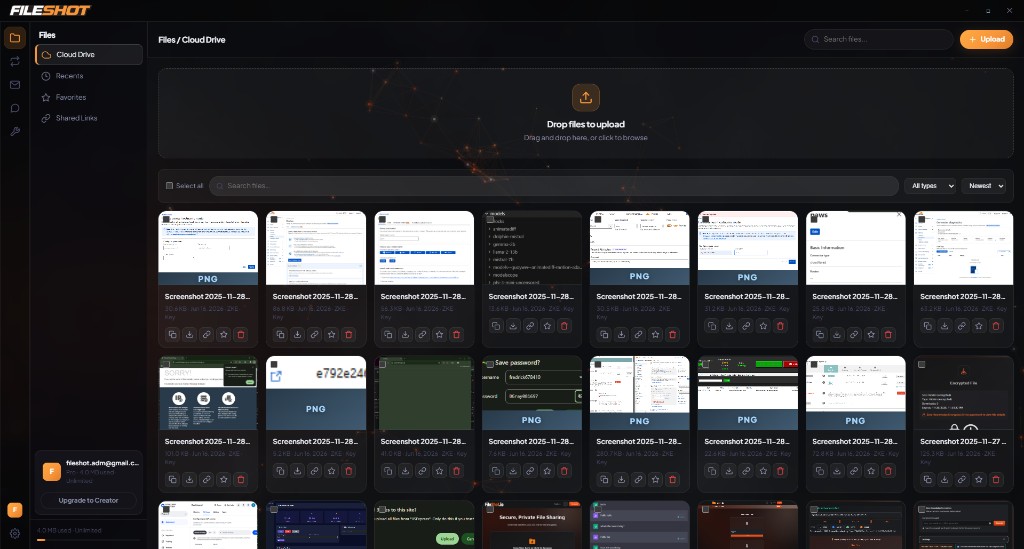
The desktop app
Upload, share, and manage encrypted files from your system tray — no browser tab required.
Early release — not code-signed yet
Installers are built automatically by GitHub Actions and are not yet signed with a commercial certificate. Windows may show SmartScreen; macOS may block the app until you right-click → Open. The app is open source and safe to audit. Learn about our signing roadmap — donations below help fund certificates.
Help fund code signing
Commercial code-signing certificates cost hundreds of dollars per year. Your donation directly supports trusted installers on Windows and macOS — so you won’t see SmartScreen or Gatekeeper warnings.
Why donate?
FileShot is independent and privacy-first. Donations keep servers running, fund security work, and help us ship signed desktop builds faster.
- Windows Authenticode certificate (~$200–400/yr)
- Apple Developer Program for notarization ($99/yr)
- SignPath OSS application in progress
Prefer a full donation page? fileshot.io/donate
Windows SmartScreen
You may see "Windows protected your PC." Click More info → Run anyway. FileShot will install normally. This appears for new code-signing certificates.
macOS Gatekeeper
On first launch, right-click the app and select Open to bypass Gatekeeper. This is normal for unsigned apps distributed outside the Mac App Store.
Built for Speed. Built for Privacy.
Everything from the web app, plus native OS integration.
System Tray
Quick access from your system tray. Upload files without ever opening a browser window.
Drag & Drop
Drop files directly on the tray icon for instant upload. Zero clicks required.
Zero-Knowledge Encryption
Same AES-256-GCM encryption as the web app. Your files, your keys — we never see either.
Desktop Notifications
Get notified when uploads complete. Shareable link is automatically copied to clipboard.
Background Uploads
Queue multiple files and keep working. Uploads process silently in the background.
Auto-Updates
Automatic security updates delivered silently. One-click install for new versions.
System Requirements
Frequently Asked Questions
Is FileShot Desktop free?
Yes — the desktop app is completely free to download and use. Your FileShot account tier (Free, Pro, or Creator) determines your storage limits and features.
Is it safe to use?
Absolutely. FileShot Desktop uses the same zero-knowledge encryption as our web app. We never see your files or encryption keys. The encryption source is open-source and auditable on GitHub.
Can I use it without an account?
You can upload anonymously. Creating a free account unlocks file management, longer expiration times, and upload history.
How do I uninstall it?
Go to Windows Settings → Apps → FileShot → Uninstall, or use the uninstaller in the Start Menu under FileShot.
Ready to get started?
Download FileShot Desktop and start sharing files — faster, private, and free.
Native Desktop Integration
The FileShot desktop application brings all the power of our web platform directly to your operating system. Available for Windows, macOS, and Linux, the desktop app integrates with your file manager for seamless drag-and-drop uploads, provides background sync, and enables system tray quick access for instant file sharing without opening a browser.
Advanced Security Features
The desktop application adds security options beyond browsers, including integration with system keychains for secure credential storage and native encryption operations that process faster than browser-based implementations. All zero-knowledge guarantees from the web app are fully preserved.