Online Video Downloader Guide — Paste a URL and Save MP4
— Brendan Gray, Founder & Developer
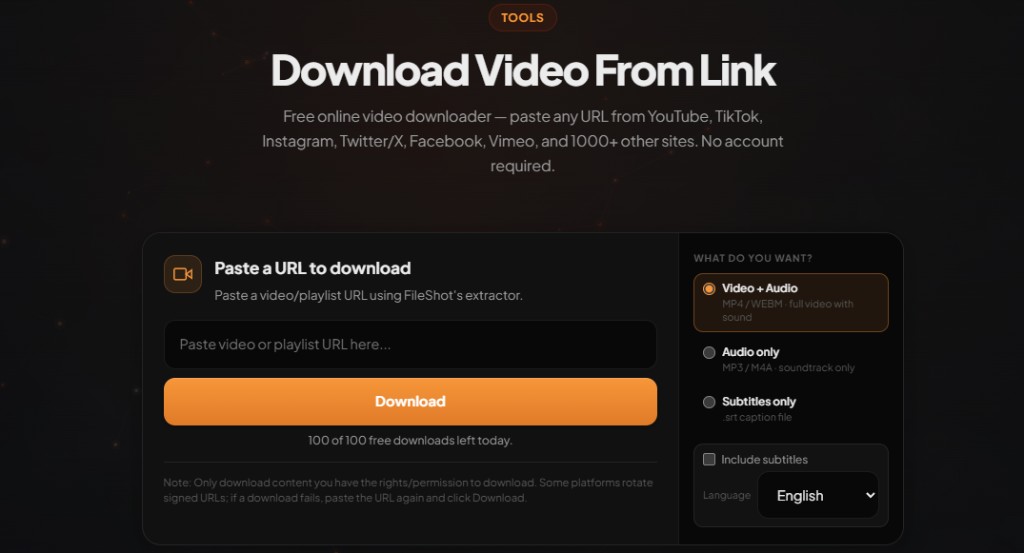
An online video downloader lets you save clips without installing apps. This guide explains how paste-URL extractors work, which sites they support, and how to pick the right quality when you download videos online.
Download video from link free — paste any URL
Open Video Downloader →MP4, WEBM, and audio-only. No account required on free tier.
How online video downloaders work
When you submit a URL, the service requests the page, parses embedded players or API responses, and lists direct media streams. You choose one; the browser downloads it. No re-encoding happens unless you pick a merged audio+video variant that the host serves separately.
Step-by-step: download video from link
- Open fileshot.io/tools/video-downloader.
- Copy the video page URL from your browser address bar (not a share-menu redirect if you can avoid it).
- Paste the link into the URL field and click Download.
- Wait for analysis — FileShot lists every stream the host exposes (resolution and format).
- Pick MP4, WEBM, or audio-only and save the file directly to your device.
Pro and Creator subscribers can paste multiple URLs in the batch panel for playlist-style workflows.
Supported sites (examples)
- YouTube — YouTube to MP4, playlists via batch mode
- TikTok — TikTok downloader
- Instagram — Reels, feed video, Reels downloader
- Vimeo, Facebook, Reddit, Dailymotion — all via the same hub
Choosing quality and format
Higher resolution means larger files. For phone viewing, 720p MP4 is often enough. For editing, grab the highest MP4 available. Audio-only is ideal for lectures or podcasts where video is unnecessary.
Batch downloads for creators
Pro subscribers can queue up to 25 URLs; Creator tier supports 100. Paste one URL per line in the batch panel on the video downloader page.
Legal and personal use
Only download videos you own, content released under open licenses, or material where you have explicit permission from the creator. Platform terms of service vary by country. FileShot provides this tool for legitimate personal use — not for redistributing copyrighted work without rights.
Related: How to download videos from any URL
Frequently asked questions
What is the best online video downloader?
Look for no forced extensions, clear format choices, and a privacy policy that does not sell URL history. FileShot offers a free tier with MP4/WEBM output and 1000+ supported sites.
Does an online video downloader work on mobile?
Yes. Open fileshot.io/tools/video-downloader in Safari or Chrome, paste the URL, and save to Files or Downloads.
Can I download private videos?
Generally no. Extractors only access publicly embeddable streams. Login-walled or friends-only posts usually fail analysis.
Will downloaded videos have watermarks?
FileShot does not add watermarks. Some source platforms embed their own branding in the stream — that comes from the host, not the downloader.
How fast are online downloads?
Analysis takes a few seconds. Download speed depends on your connection and the source CDN — same as watching the video online.
Free Online Video Downloader
Paste any URL. MP4, WEBM, audio-only. No watermark.
Open Video Downloader →