Download File From URL Online Free (Video) — Complete Guide
— Brendan Gray, Founder & Developer
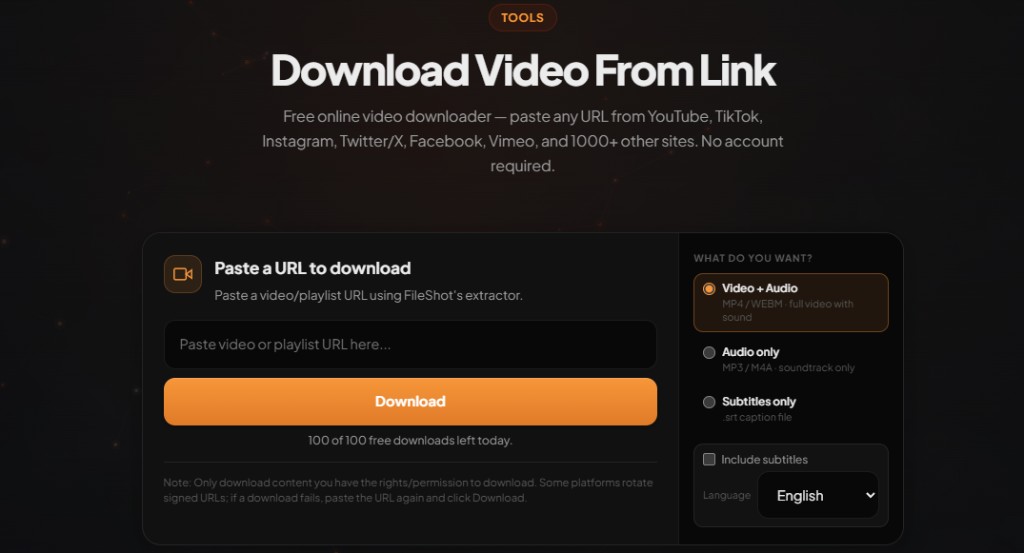
Searching for a way to download file from URL online free (video) usually means you want a direct save button without desktop software. This guide walks through paste-and-download workflows, quality choices, and how to stay clear of ad-heavy ripper sites.
What "download from URL" actually means
Video hosts rarely expose a raw MP4 link in the page HTML you see. An online downloader fetches the page server-side, locates signed stream URLs, and offers them as downloadable files. You still paste one link; the tool handles the technical extraction.
Download video from link free — paste any URL
Open Video Downloader →MP4, WEBM, and audio-only. No account required on free tier.
Free online video download workflow
- Navigate to the video on the source site and copy the full URL.
- Visit FileShot Video Downloader.
- Paste the URL and start analysis.
- Select resolution (360p–1080p+ when available) and format.
- Save the file — it downloads straight to your Downloads folder.
Video vs other file types from URLs
This guide focuses on video. FileShot also offers file conversion and compression if you need to shrink a saved clip before sharing. For sending large videos, upload to FileShot file sharing with an expiring encrypted link.
Avoiding risky downloader sites
Many free ripper pages bundle pop-up ads, fake download buttons, and browser extensions that track browsing. FileShot does not inject ads into the download flow or require extensions. URLs you analyze are not stored in a permanent history after your session.
Legal and personal use
Only download videos you own, content released under open licenses, or material where you have explicit permission from the creator. Platform terms of service vary by country. FileShot provides this tool for legitimate personal use — not for redistributing copyrighted work without rights.
Related: Download video from link free · Safe online video downloader
Frequently asked questions
Can I download file from URL online free for any video site?
FileShot supports 1000+ sites including YouTube, TikTok, Instagram, Facebook, Vimeo, Reddit, and many news or education portals. Private or login-walled content may not work.
Is there a file size limit?
Limits depend on what the source host exposes. Very long live streams or 4K uploads may offer fewer quality options. Your device storage is the practical cap.
Do I need to create an account?
No account is required for standard single-video downloads. Pro adds batch downloads and higher daily quotas.
MP4 or WEBM — which is smaller?
WEBM (VP9) is often smaller at equal quality but less compatible with older editors. MP4 (H.264) is the safest default for playback everywhere.
Can I download audio only from a video URL?
Yes. After analysis, choose an audio-only stream when the host provides separate audio tracks.
Free Online Video Downloader
Paste any URL. MP4, WEBM, audio-only. No watermark.
Open Video Downloader →