Safe Online Video Downloader — Privacy, Ads, and What to Avoid
— Brendan Gray, Founder & Developer
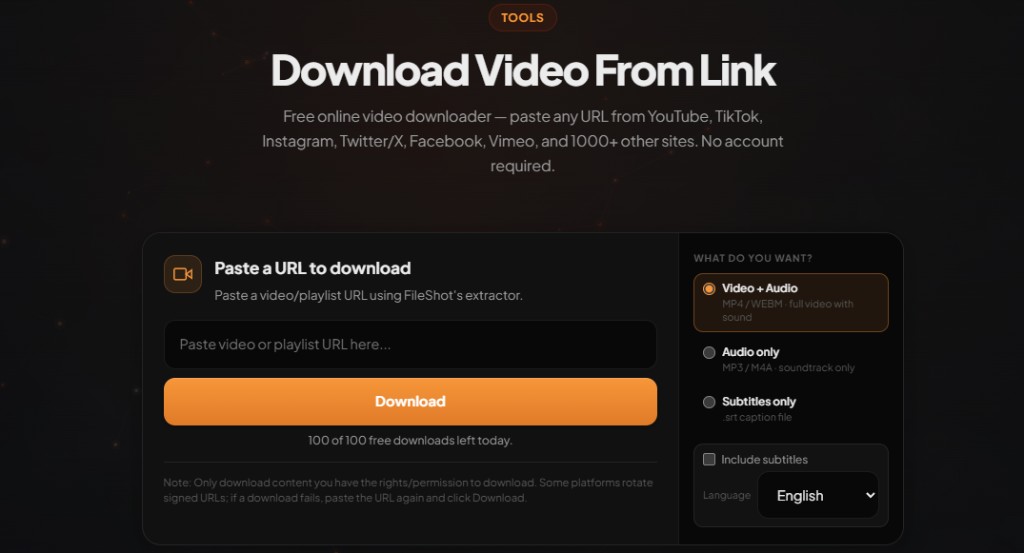
Not every "free video downloader" is safe. Pop-up traps, browser extensions that spy on tabs, and sites that log every URL you paste are common. Here is how to pick a safe online video downloader and what FileShot does differently.
Download video from link free — paste any URL
Open Video Downloader →MP4, WEBM, and audio-only. No account required on free tier.
Red flags on downloader sites
- Multiple fake Download buttons that trigger ads instead of your file
- Required browser extensions with broad permissions (read all sites, change data)
- No privacy policy or vague data selling language
- Executable installers disguised as codec packs
- URL logging sold to analytics brokers
Generic short-form ripper sites (sometimes surfaced when people search for quick clip tools) often match this pattern. A reputable tool should let you paste a link in-page without installing anything.
Download video from link free — paste any URL
Open Video Downloader →MP4, WEBM, and audio-only. No account required on free tier.
What FileShot does for privacy
- No ads injected into the download flow
- No required browser extension for basic downloads
- Session-based processing — no permanent log of URLs you analyze
- HTTPS everywhere; downloads served over TLS
FileShot is built by a privacy-first file sharing company. The same security mindset applies to the video downloader as to encrypted uploads.
Safe workflow checklist
- Use the official domain: fileshot.io
- Paste only public URLs you have rights to save
- Decline unexpected extension or APK prompts
- Scan downloaded files if they came from an untrusted uploader on the source platform
Step-by-step: download video from link
- Open fileshot.io/tools/video-downloader.
- Copy the video page URL from your browser address bar (not a share-menu redirect if you can avoid it).
- Paste the link into the URL field and click Download.
- Wait for analysis — FileShot lists every stream the host exposes (resolution and format).
- Pick MP4, WEBM, or audio-only and save the file directly to your device.
Pro and Creator subscribers can paste multiple URLs in the batch panel for playlist-style workflows.
Legal and personal use
Only download videos you own, content released under open licenses, or material where you have explicit permission from the creator. Platform terms of service vary by country. FileShot provides this tool for legitimate personal use — not for redistributing copyrighted work without rights.
Related: Download file from URL online free (video) · FileShot security model
Frequently asked questions
Are online video downloaders safe?
Some are, many are not. Safe ones work in the browser without shady extensions, show one clear download path, and publish a readable privacy policy. Avoid sites with layers of fake buttons.
Does FileShot track what I download?
FileShot does not retain a history of URLs you analyze after your session. Downloads go directly to your device.
Should I install a video downloader extension?
Extensions often request permission to read every page you visit. A paste-URL web tool avoids that attack surface unless you truly need one-click integration.
Are free video downloader sites viruses?
Not always, but free ripper sites are a common malware vector via fake installers. Prefer browser-based tools on domains you trust.
Is there a video downloader without ads?
FileShot Video Downloader is free for single downloads without ad injection in the save flow. Upgrade to Pro only if you need batch quotas — not to remove ads.
Free Online Video Downloader
Paste any URL. MP4, WEBM, audio-only. No watermark.
Open Video Downloader →